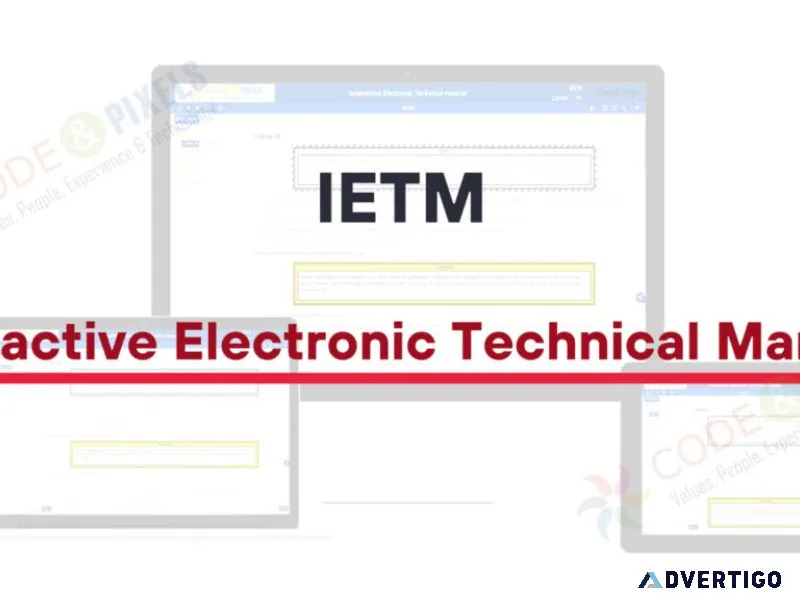
Features of (ietm) interactive electronic technical manual code
Features of IETM Software IETM comes with authoring tools, content management tools, and user management capabilities. Features like viewing activities, managing annotations, and managing bookmarks are all part of the user dashboard. We also discuss how administrators may access user login history, assessments, feedback, and other useful information. User Dashboard User Dashboard consists of features like Manage Bookmarks, Manage Annotations, View Activity, Change Password, Enter IETM, and Logout. Admin Admin can control the document access based on user profile. That is, For the Operator user, only manuals related to the operator can be given access and for the maintainer user only Maintenance-related documents can be given access. Admin can see user login history and user Annotations and feedback etc. View Activity View Activity Feature consists of the Last login, Created Date and a Table with all the previous login and logouts displayed. Change Password This Feature enables the User to change his own password and to update his own security questions. Enter IETM This Feature enables the User to enter into IETM Core and access the IETM Data by selecting the desired module. IETM Core IETM core consists of an IETM Content section on the Right and a Tree Menu on the Left for navigation of content, IETM Core consists of Global Search, Local Search, Print, Annotation, Bookmark, Help and Select Module, History Navigation and Home options. Annotations An icon at the Top Right beside the Global Search with the Annotations Count of the particular page displays annotations. Users can select the text with the mouse and the Add Annotation option appears to users to add new annotations to the content page. Print IETM Core A print feature is provided in IETM Core to print the current page content. Bookmark A Bookmark Icon is provided at the top of the content section to bookmark a particular page and can be added by clicking the Bookmark icon, A popup with the Name Bookmark name field appears. Word Explainer The word explainer feature helps in providing a Deion/Explanation to a word by clicking on the word and is highlighted with a colour in IETM Content. Image Explainer The image Explainer feature helps in linking a related image to a word in the IETM content, the word with the image explainer is highlighted with a colour in IETM content. Video Explainer The Video Explainer feature helps in linking a related Video to a word in the IETM content, the word with the video explainer is highlighted with a colour in IETM content. Hot Spotting Hot spotting functionality is used to link a word to a respective image or Drawing on the same page and works with mouse hovering or selecting text or part of an image by which respective drawing or image will highlighted. Hyperlinking The hyperlinking feature enables the user to navigate from one page to the other related hyperlinked page by mouse click, the hy
-
श्रेणी: प्रशिक्षण और शिक्षा सेवाएं
महत्वपूर्ण!
Advertigo पर बहुत सारे विज्ञापनदाता हैं। हम उन्हें एक-एक करके जाँच नहीं कर सकते।
आप अपनी मेहनत की कमाई के लिए एक भरोसेमंद कंपनी चाहते हैं। इसीलिए हम आपको धोखाधड़ी से बचाने में मदद करना चाहते हैं। इस अनुभाग में आपको जानकारीपूर्ण सुझाव और अन्य उपयोगी सामग्री मिलेगी जो आपको सतर्क रहने और ठगों के शिकार होने की संभावना को कम करने में मदद करेगी।
कृपया समझें कि Advertigo.net खरीदारों और विक्रेताओं को एक-दूसरे को खोजने में मदद करने के लिए एक निःशुल्क सेवा है। Advertigo.net किसी भी लेन-देन में शामिल नहीं है और हमारे उपयोगकर्ताओं की गतिविधियों पर नजर नहीं रख सकता।
उपयोगी लिंक
समान विज्ञापन

What inspires exceptional student growth
Vardhman Podar Learn School offers a balanced educational environment where academics, creativity, sports, and personal
Vardhmanpodarlearnschool

Python training institute in chandigarh
Python Training provides practical knowledge of Python programming, from basic syntax to advanced concepts. Learners
Palak Rajput

Stock market training in hyderabad
Learn stock market trading from basics to advanced concepts with practical guidance. Our Stock Market
Bharath Kotha

Best digital marketing institute in laxmi nagar dics
Get practical and career-focused digital marketing training with experienced trainers. Learn SEO, Google Ads, social
Ujjwal Seo

Best digital marketing institute in hyderabad
Jay IT Solutions is the Best Digital Marketing Institute in Hyderabad. Industry-certified trainers, live campaigns
Jayit Solutions

Best social bookmarking sites to share content and grow traffic
Social bookmarking sites are valuable platforms that help users save, share, and discover useful online
Gaurav Jaiswal

Expert digital marketing course in delhi dizitaladda
Take your digital marketing expertise to the next level with an expert digital marketing course
Dizital Adda
Best orthopaedic surgery fellowship programs how to choose the
Choosing the right Orthopaedic Surgery Fellowship can enhance your surgical expertise, clinical decision-making, and build
Conceptual Orthopedics
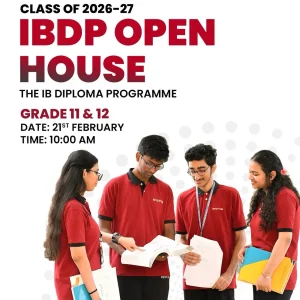
International school in hyderabad contact keystone
Contact Keystone International School, an International School in Hyderabad, for admissions, campus visits, IB and
Key Stone
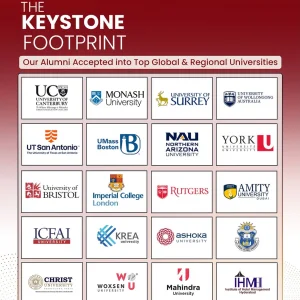 15,151 INR
Green campus school in hyderabad green schools hyderabad
Keystone International School is a Green Campus School in Hyderabad where sustainability is part of
Key Stone